Properties and units
Add a property with the information you have, finish it later, name each unit, attach pictures, and keep multi-unit buildings counted as one property.
 Property Ledger Mobileby My First Home Inc.
Complete property records for iPhone
Add properties, tenants, rent, financing, expenses, receipts, and documents directly on iPhone. A guided tutorial appears the first time you open the app and can be skipped or reopened later.
iPhone · iOS 17 or later · Planned CAD $4.99 one-time purchase · No trial or subscription
App Store release in preparation. Canadian price shown; other storefront prices may differ.
For your everyday rental records
Keep a single property or a multi-unit building organized without requiring the Mac app. Use it for personally, jointly, or corporation-owned Canadian rental records, and share an organized package with your accountant.
Full property management in your pocket
Start with a few details and build the record over time. The mobile layout keeps common actions close while preserving the deeper records behind each property.
Add a property with the information you have, finish it later, name each unit, attach pictures, and keep multi-unit buildings counted as one property.
Keep multiple tenants per unit, mobile, home, and work numbers, lease history, deposits, contractors, quotes, and jobs.
Record full or component payments, see the unpaid month and remaining balance, and review only the rent alerts that are currently relevant.
Photograph a receipt or choose a screenshot, review the suggested date and amount, then assign the expense and file to a property.
Open a PDF or picture from another app, copy it into Property Ledger, and assign it to the right property and document category.
Track mortgage balances, lenders, rates, terms, renewal dates, insurance, recurring fees, income, expenses, cash flow, values, and equity. Review Net Operating Income month by month with income and operating expenses shown separately.
Choose legal owners, properties, and reporting dates. Preview a Canadian rental-record summary, then export PDF, Excel, CSV, or a ZIP with supporting documents for professional review.
Choose an address suggestion, review the completed fields, and see saved properties together on the portfolio map.
Create an optional password-protected records backup and recover from the latest 20 saved changes. Export the photo and document library separately for a complete recovery set.
Set a private app passcode and, if you choose, use Face ID for quick unlocking with the app passcode available as a fallback.
Use the app independently, or enable private iCloud record sync between your compatible iPhones signed in to the same Apple Account.
A complete mobile workflow
Add a tenant during a walkthrough, record a rent or component payment, photograph a repair receipt, or attach a document from email without waiting to return to the computer.
Guided from the first launch
The ten-step welcome tutorial explains the portfolio, properties, tenants, rent, receipts, documents, accountant exports, security, backups, and iCloud choices. Skip it immediately if you prefer to explore on your own.
Works independently
You do not need the Mac app to use Property Ledger Mobile. Private iCloud sync can keep supported records available on your compatible iPhones signed in to the same Apple Account. The current Mac App Store version is not connected. Documents and pictures have separate backup controls.
See exactly how information is storedBefore you begin
The mobile app is planned as a one-time paid download with unlimited use of its included features. There is no trial or subscription. Apple shows the local storefront price before purchase; iCloud features use your own Apple Account storage.
You can work with local property, tenant, and transaction records without iCloud. Address suggestions, map locations, and optional iCloud operations need an internet connection.
Accountant Export prepares records for professional review; it does not file a tax return or decide tax treatment. Rent-increase reminders help with planning. Review the applicable official rules and deliver any required notice yourself.
Follow the tutorial, read the support answers, or email support@1sthomeapp.com.
Inside the app
Captured from the current app interface with fictional sample records. Swipe across to explore the everyday workflow.
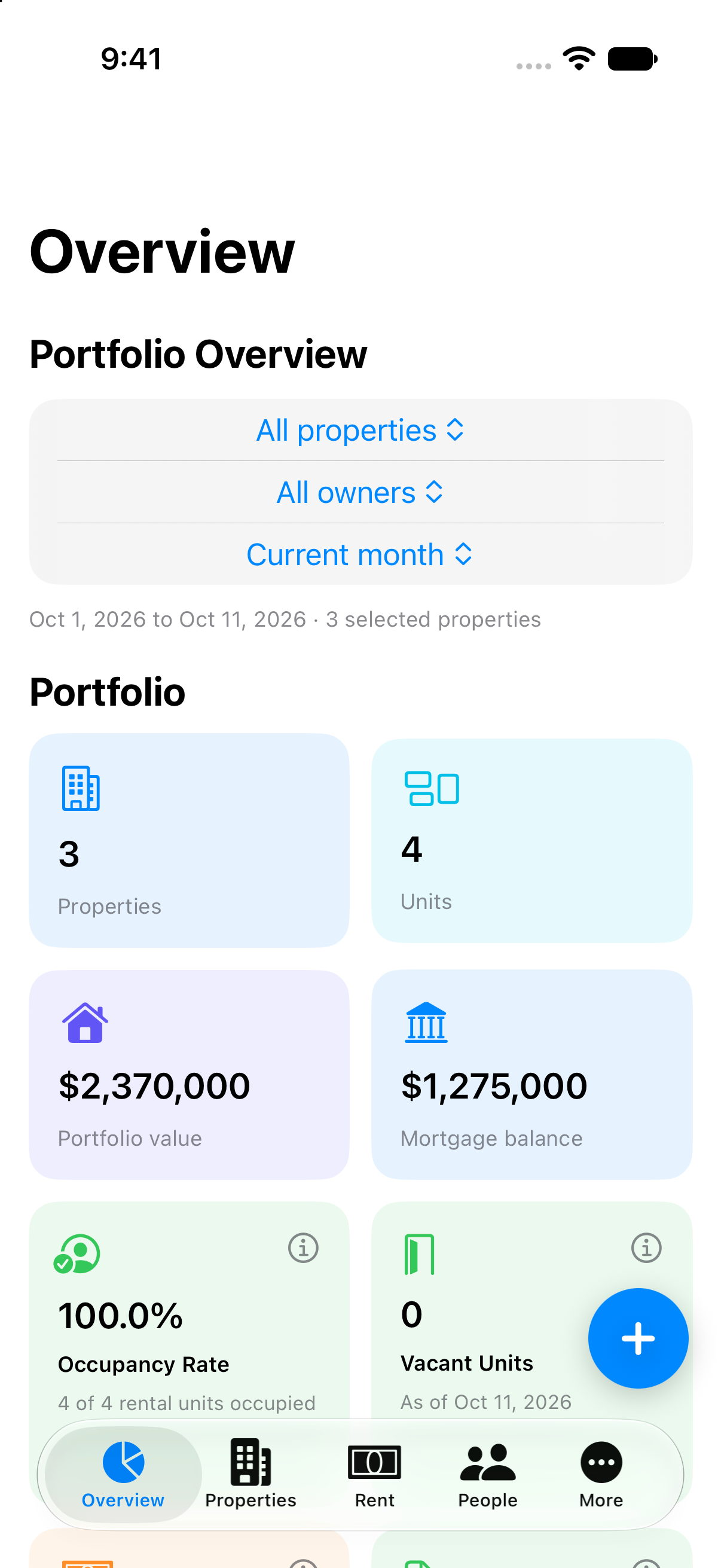
Property and ownership filters, values, occupancy, and vacant units.
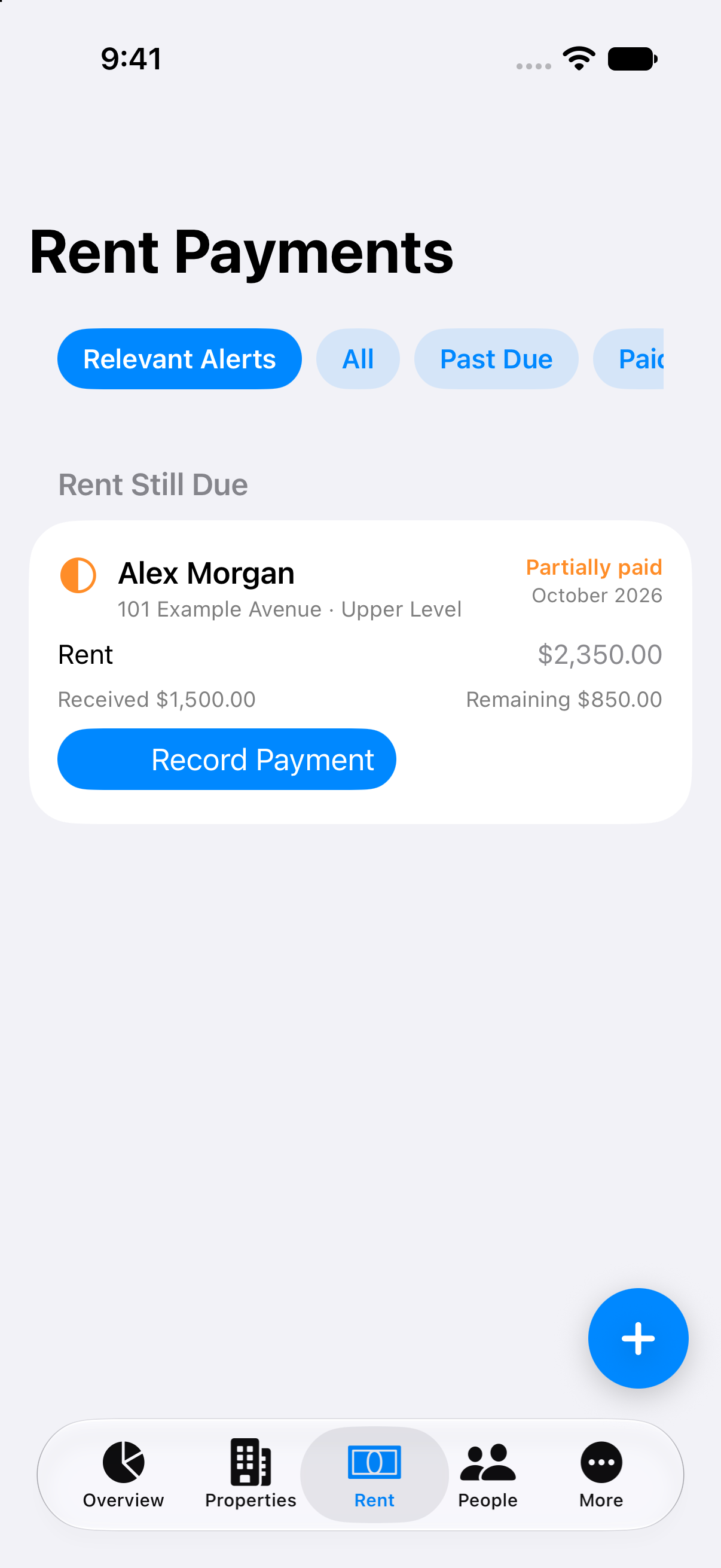
The rental month, amount received, remaining balance, and payment controls.
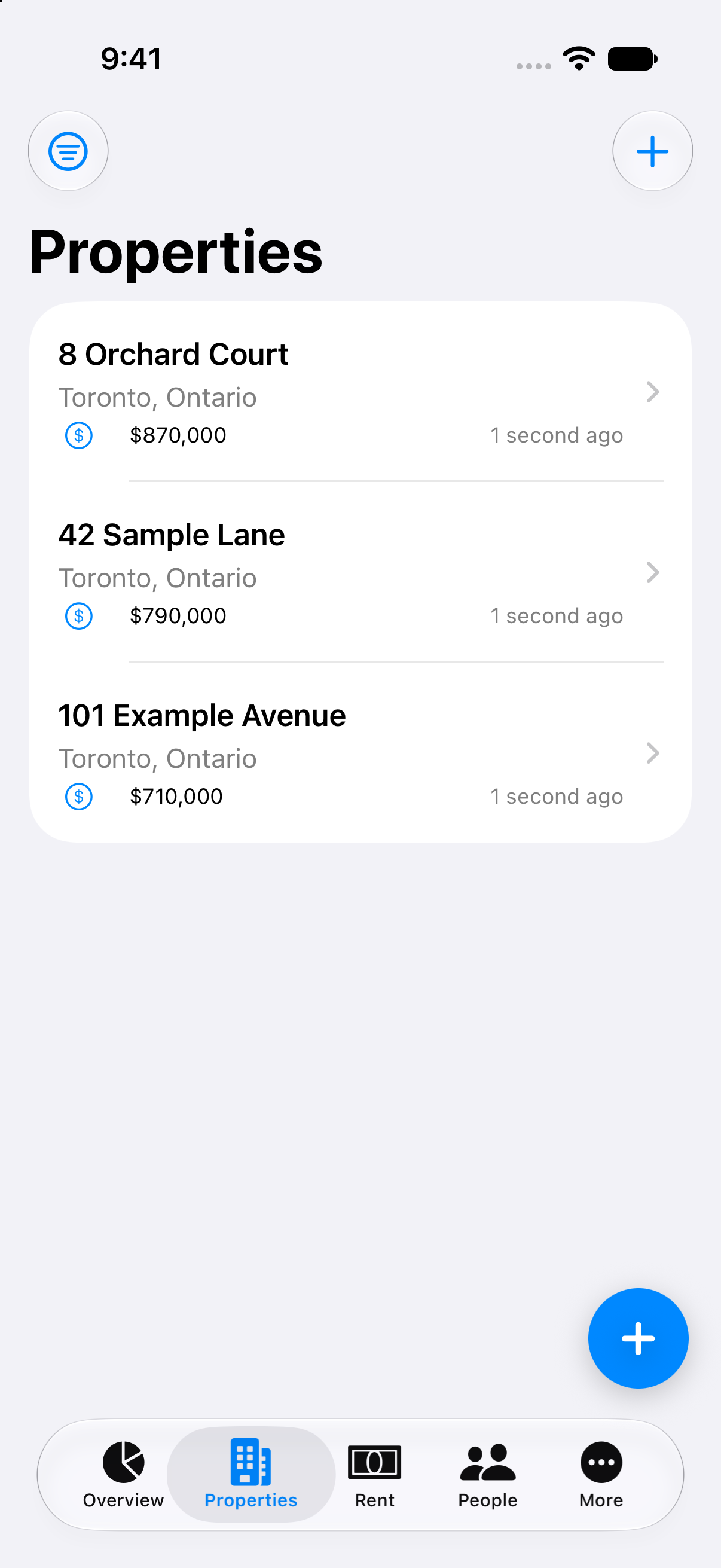
Open each property to review and update its records.
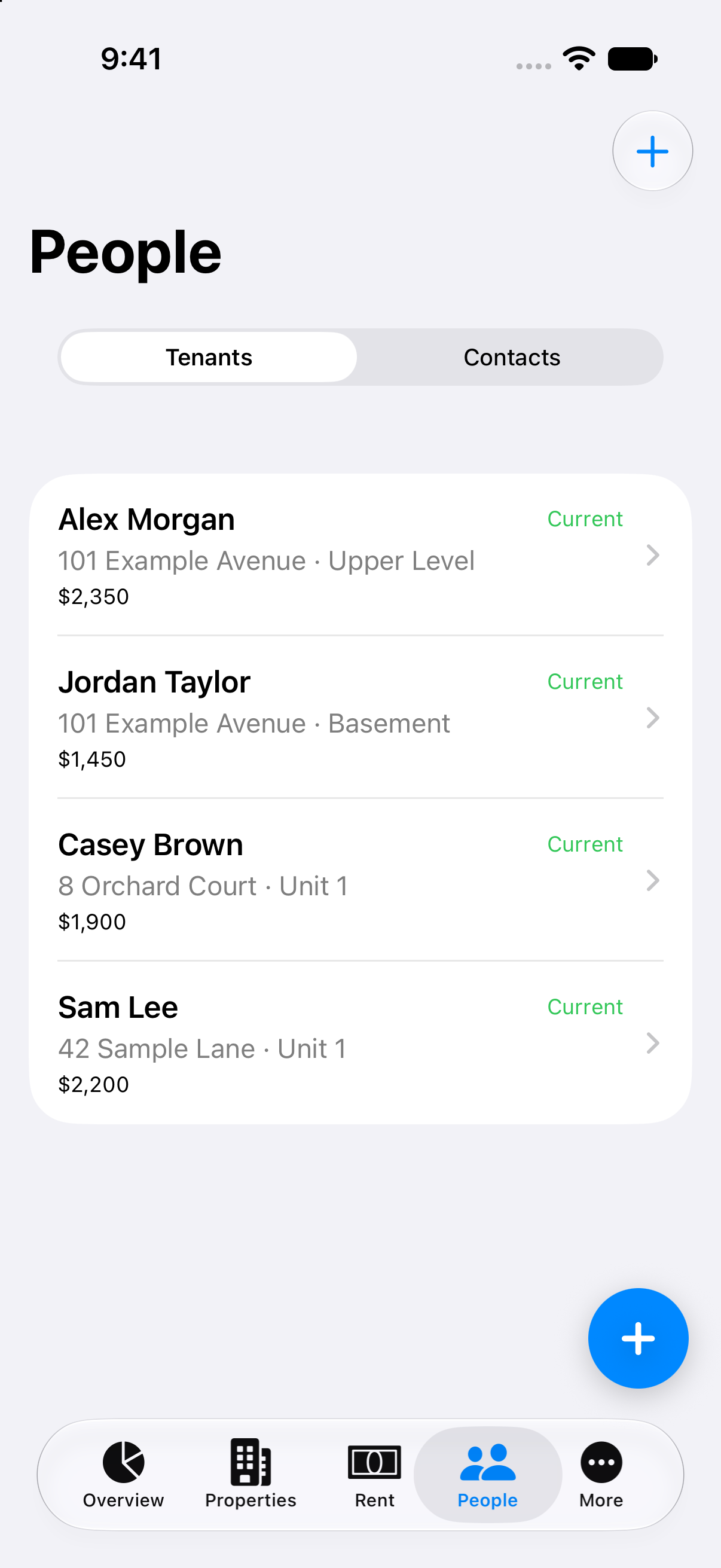
Tenants connected to the property and the correct named unit.
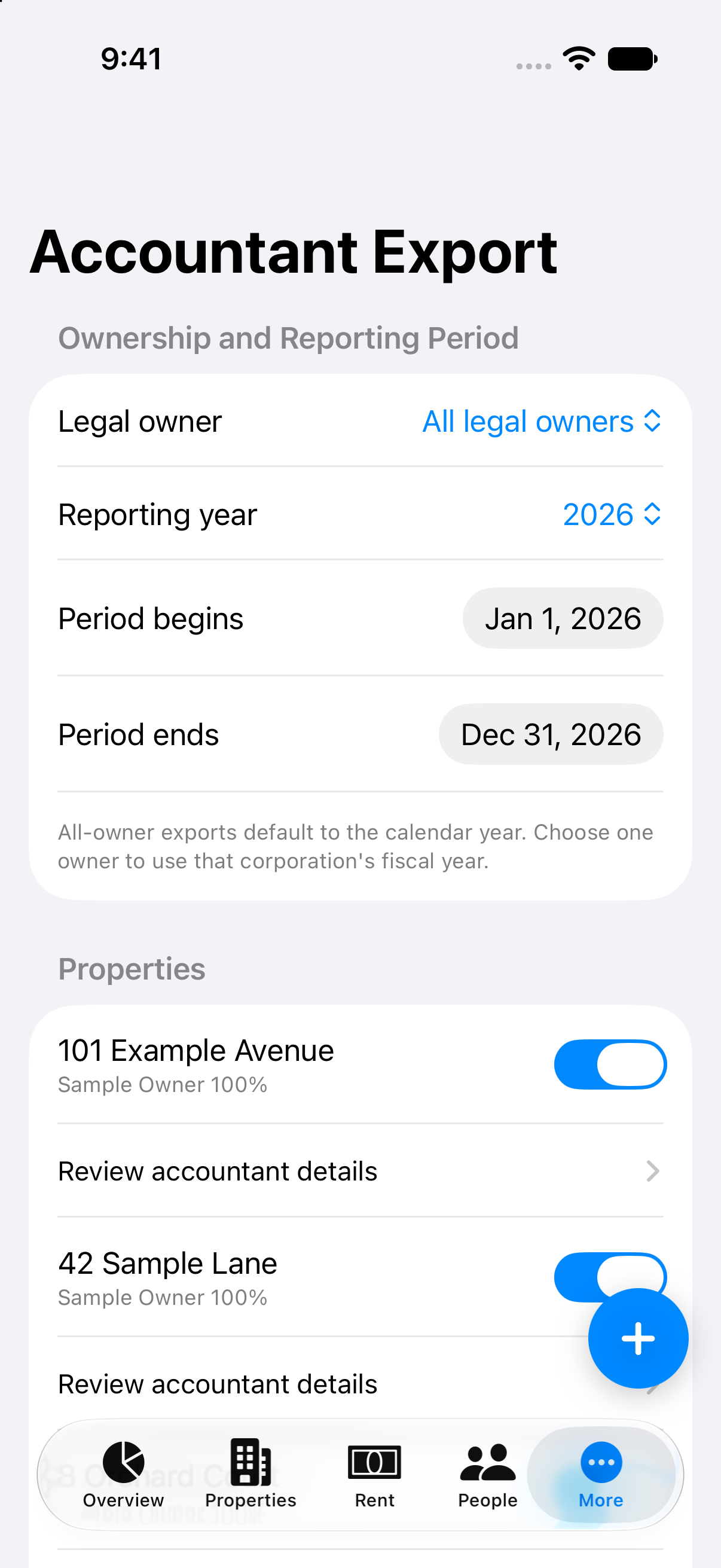
Choose the owner, reporting dates, properties, and documents to include.
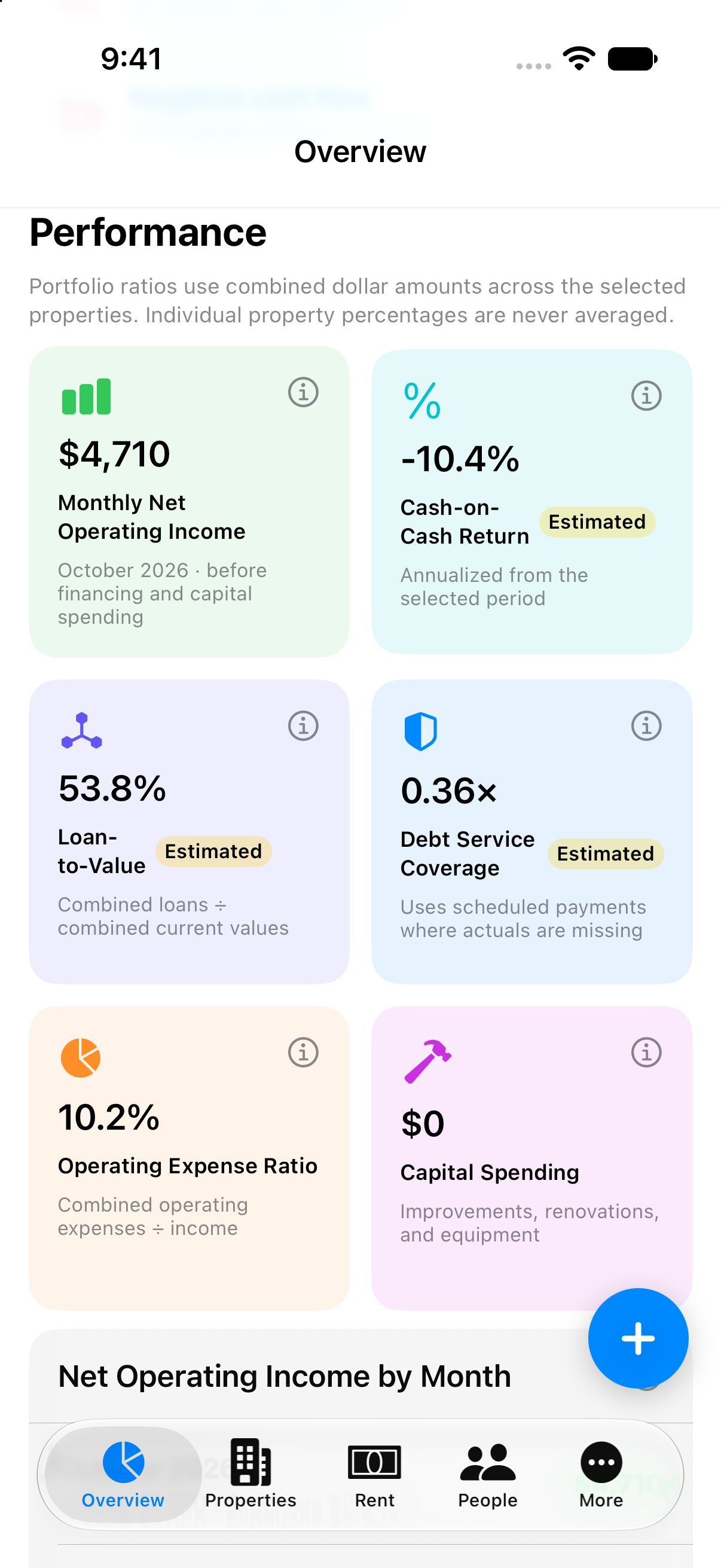
See monthly operating income, expenses, and Net Operating Income.
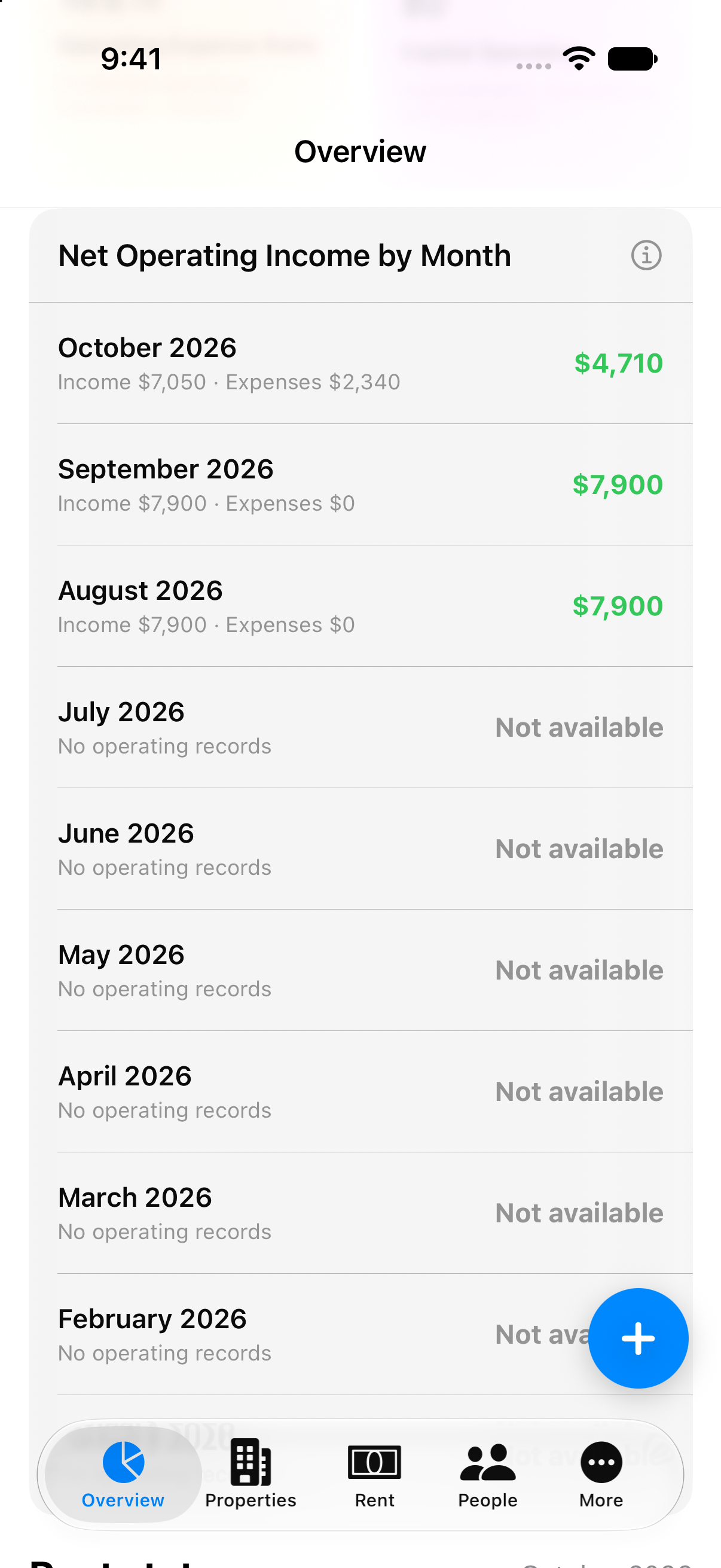
Review the monthly history. Months without records remain visibly unavailable.
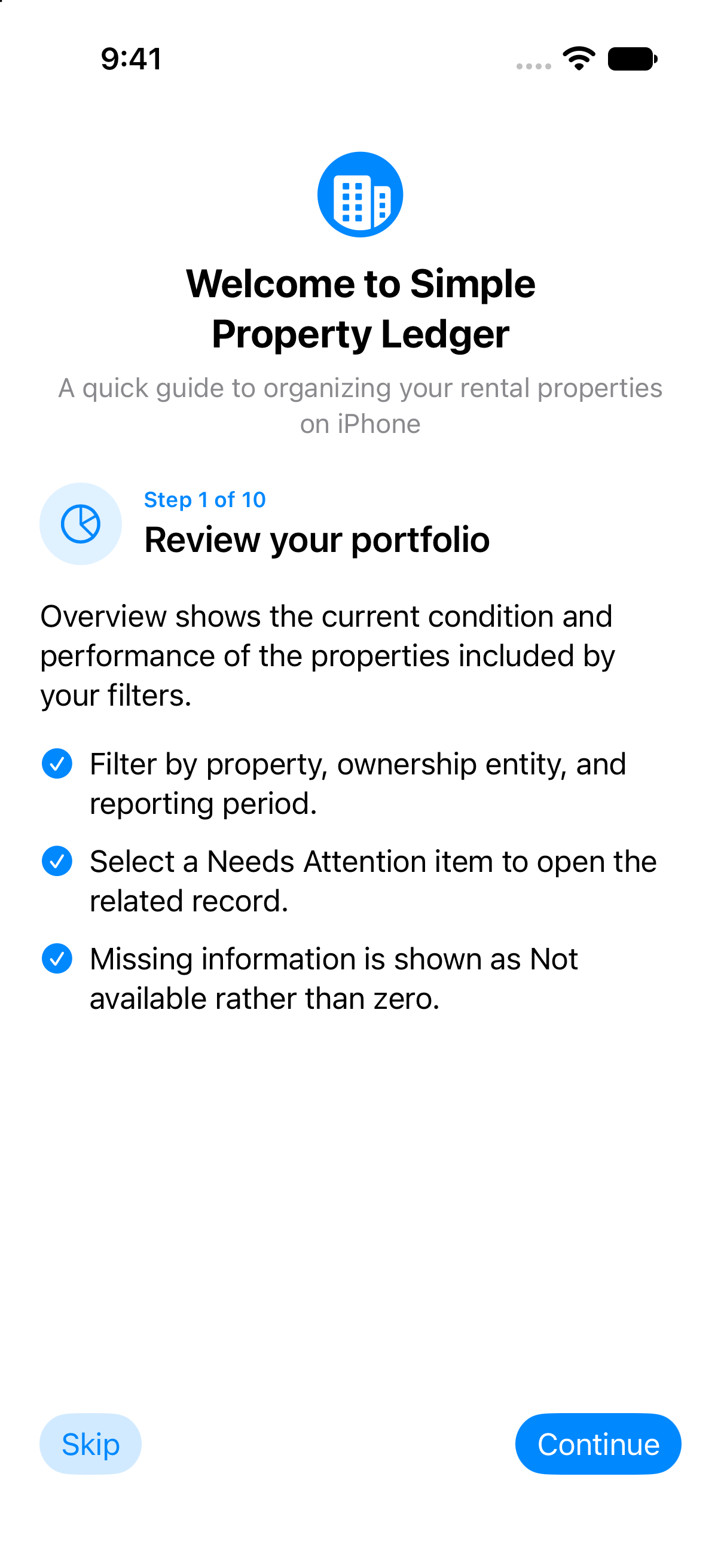
Follow the guide, skip it, or reopen it later under More.
Property Ledger Mobile support
Use the first-launch or website tutorial for properties, units, tenants, rent, receipts, documents, accountant exports, App Lock, backups, undo, and optional private iCloud sync.
Visit Mobile Support